


Editorial Atelier is a free WordPress theme for studios, makers and anyone whose work deserves to be looked at properly: photographs first, text in small type, no page builder in sight.
How this started
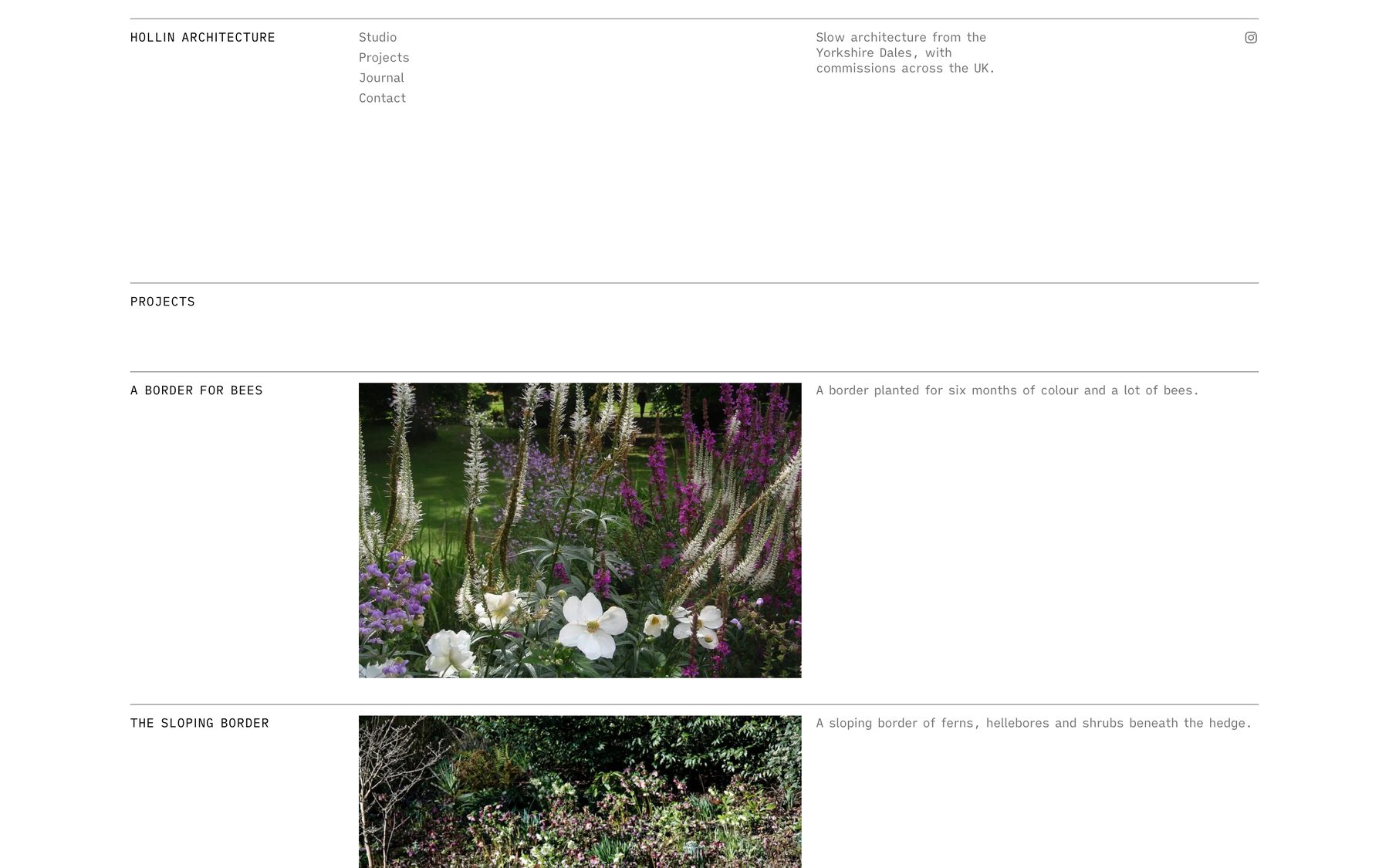
Earlier this year we built a website for a small architecture and garden-design practice. Their brief was short and a little unusual. They did not want a “portfolio template”. They wanted the site to feel like a well-made printed monograph: quiet, ruled in fine lines, with photographs doing nearly all of the talking.
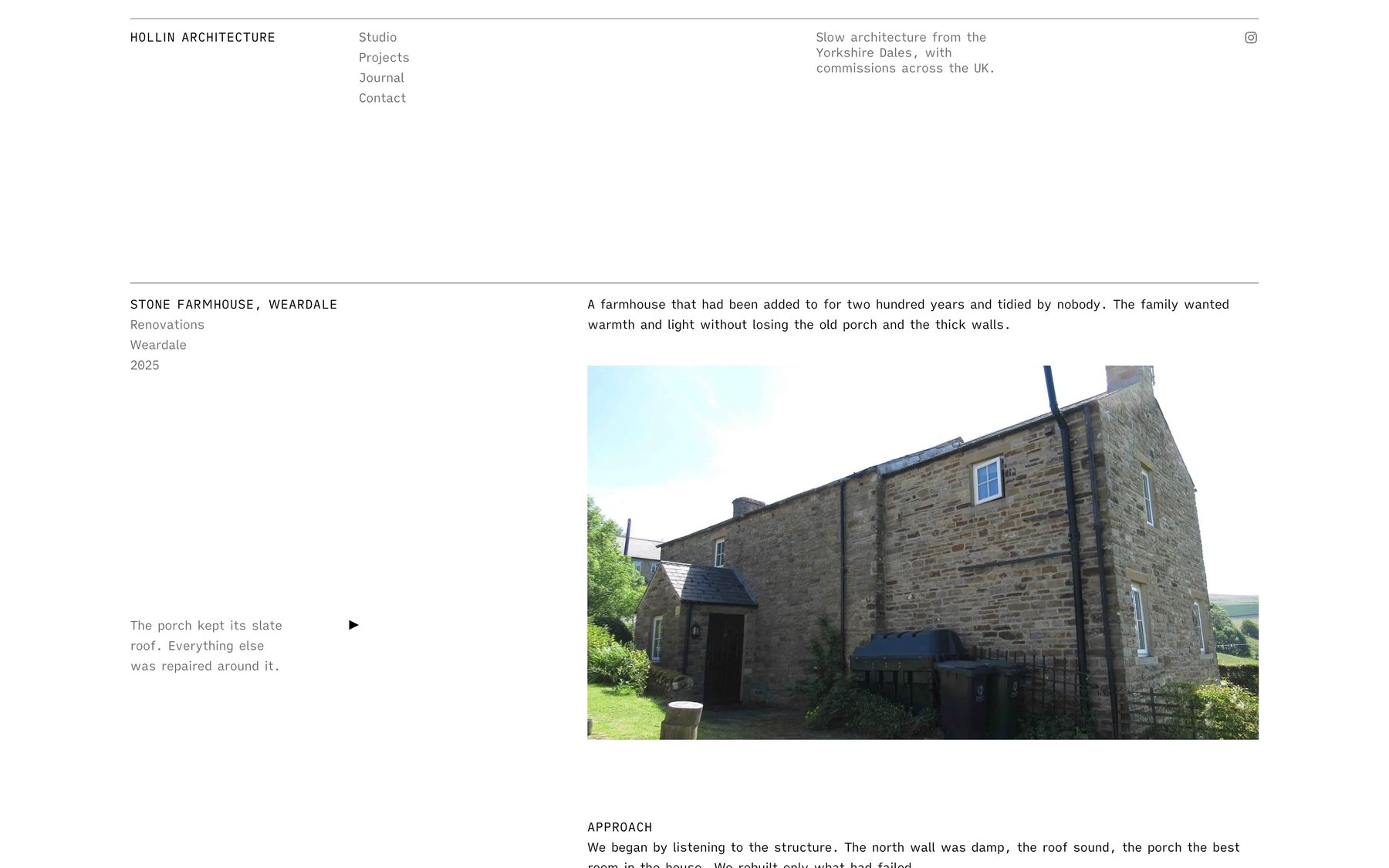
We spent a lot of time on the details nobody notices. A five-column grid, so captions always sit in the same place. Small, even type. Hairline rules instead of boxes. A photograph that you can click through one by one, like turning a page.
After the site went live we expected a few kind words and that was that. Instead, over the next weeks, people kept getting in touch. A couple of designers. A photographer. Someone who runs a small studio and had spent a weekend fighting with a page builder. The question was always the same: could we have something like that?
We could not just hand over the client’s site, and we would not want to. But we could take what we had learned and build it properly, as something anyone can install. That is Editorial Atelier.
What you get
Two small pieces that work together:
- Editorial Atelier, a WordPress block theme. It holds the look: the grid, the type, the colours, the templates, the gallery and a set of ready-made page sections.
- Editorial Atelier Companion, a plugin. It adds Projects (with types, photographs and details), the two project blocks, a demo importer, a cookie notice and the helpful panels you will see in the editor.
It needs WordPress 6.6 or newer and PHP 8.1 or newer. Contact Form 7 is optional; if you use it, its forms pick up the theme’s look on their own.
Photographs first
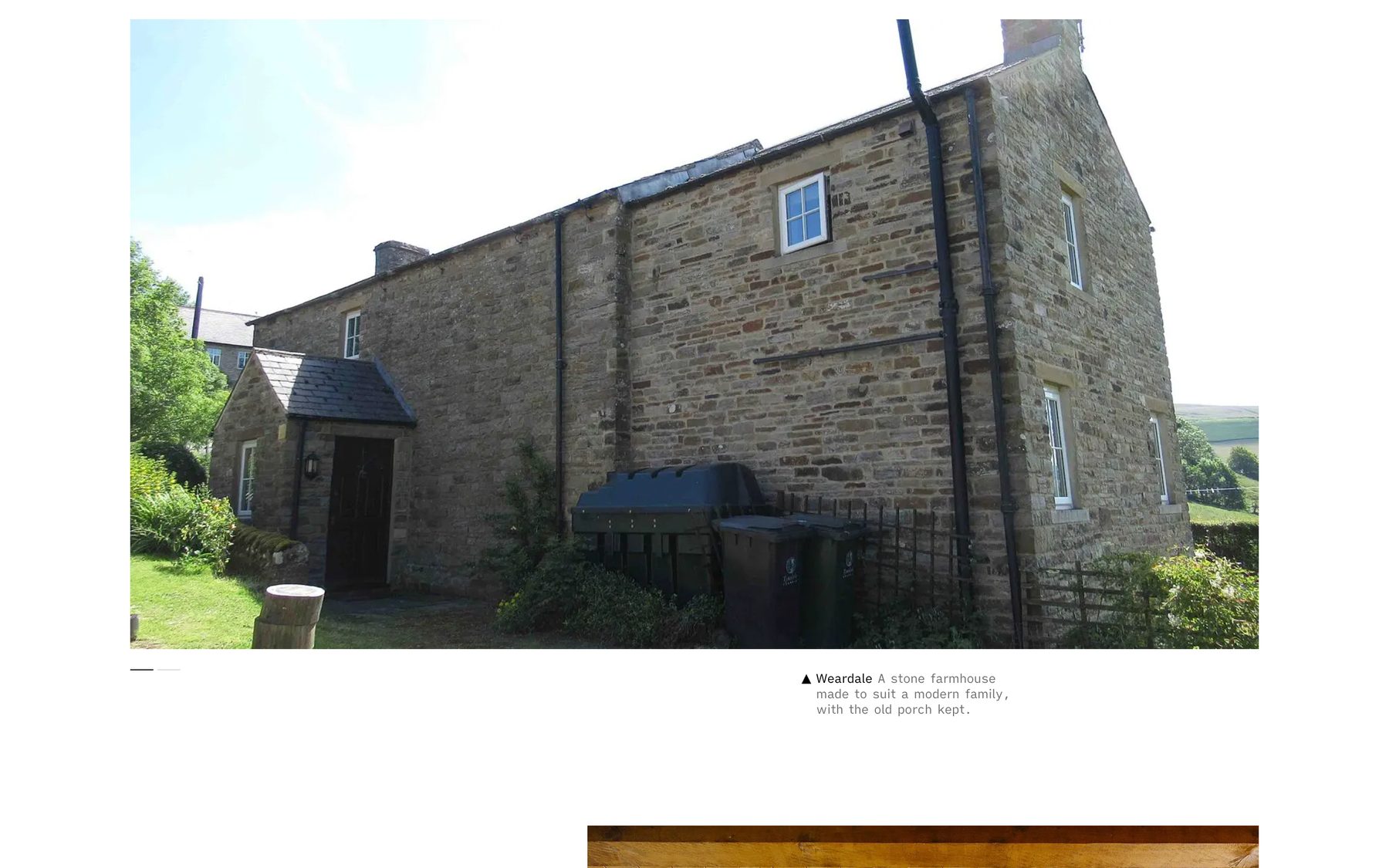
The gallery is the heart of it. Visitors see one photograph at a time, with a caption in the margin. They click, tap or use the arrow keys to move on. You choose, slide by slide, whether a photograph runs the full width or sits square beside its caption, on the left or the right.
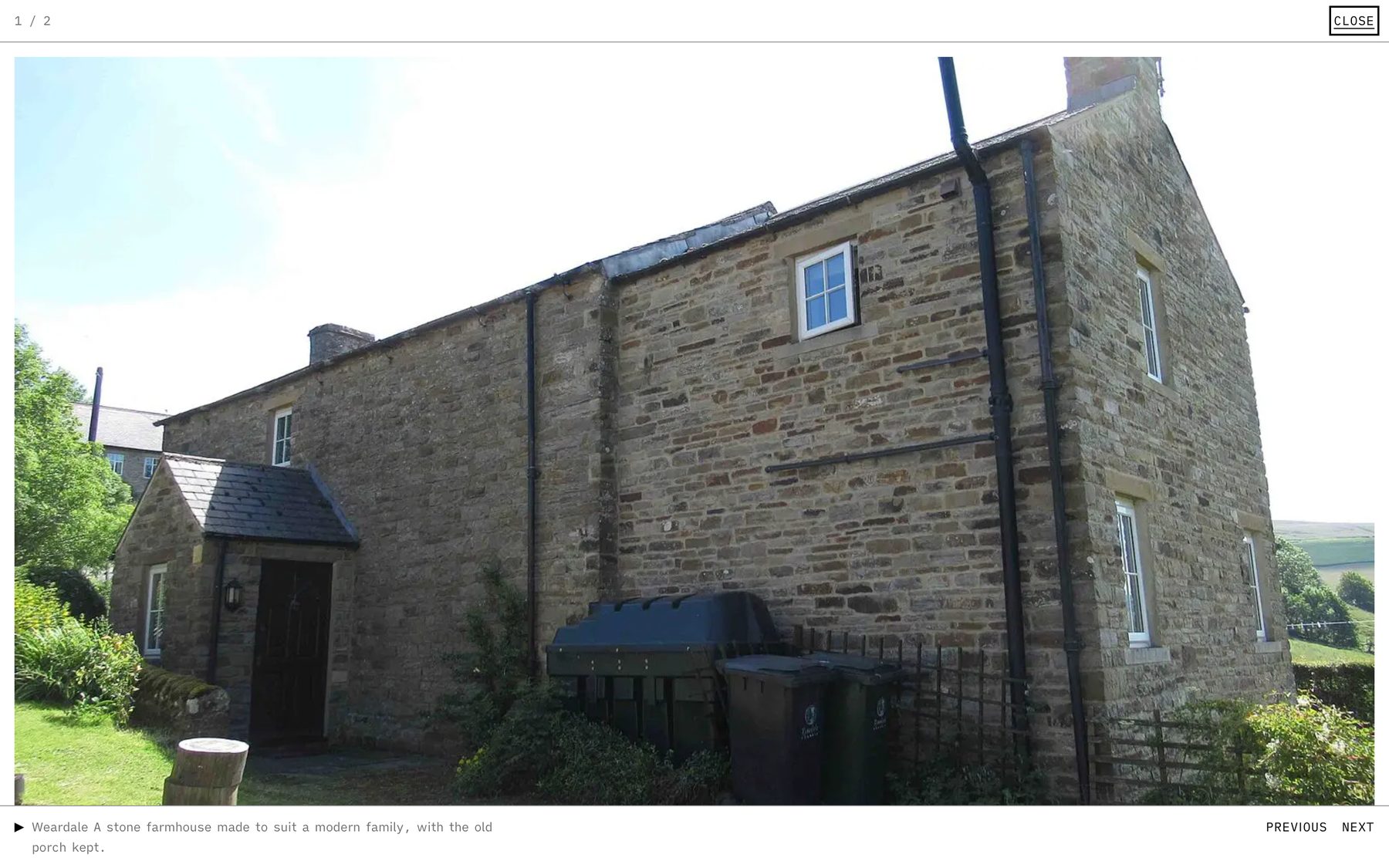
Switch on full-screen view and each photograph gets a small Enlarge button. It opens a white page with the picture as large as it will go, the caption underneath, and Previous and Next to step through. There is a single switch to turn it off for the whole site, too.
Made for the phone in your pocket
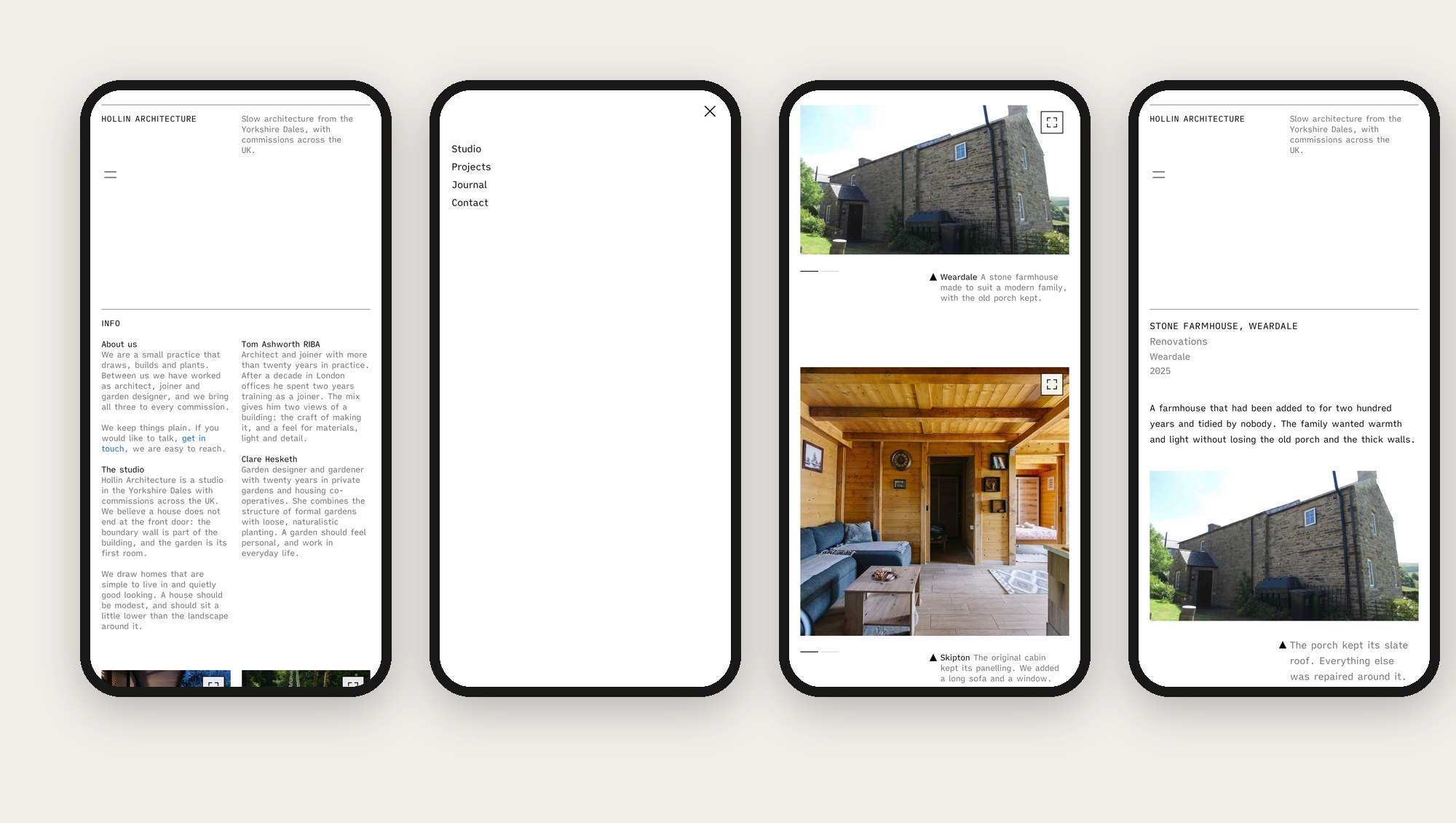
A lot of people will meet your work on a phone first, so the layout folds down by itself rather than shrinking. We checked every page at phone, tablet and laptop widths, and looked for anything that spilled off the edge. Nothing does.
Everything is a block
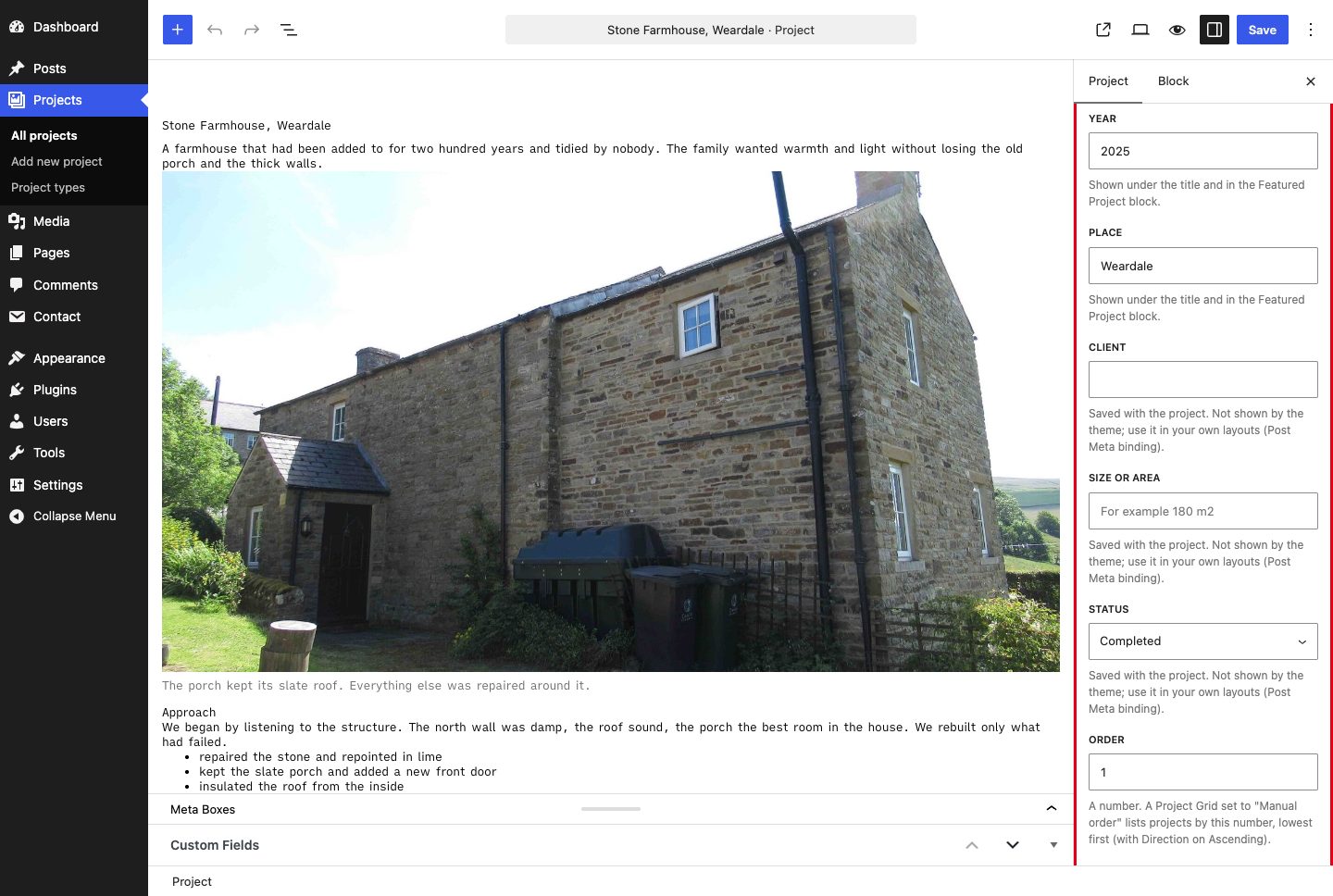
There is no page builder and no separate settings maze. You edit with the normal WordPress editor. When you click a gallery, a Slide layout panel appears. Click a row of text and you can choose how many columns it has. Click a project and a Project details panel asks for the year, the place and the rest.
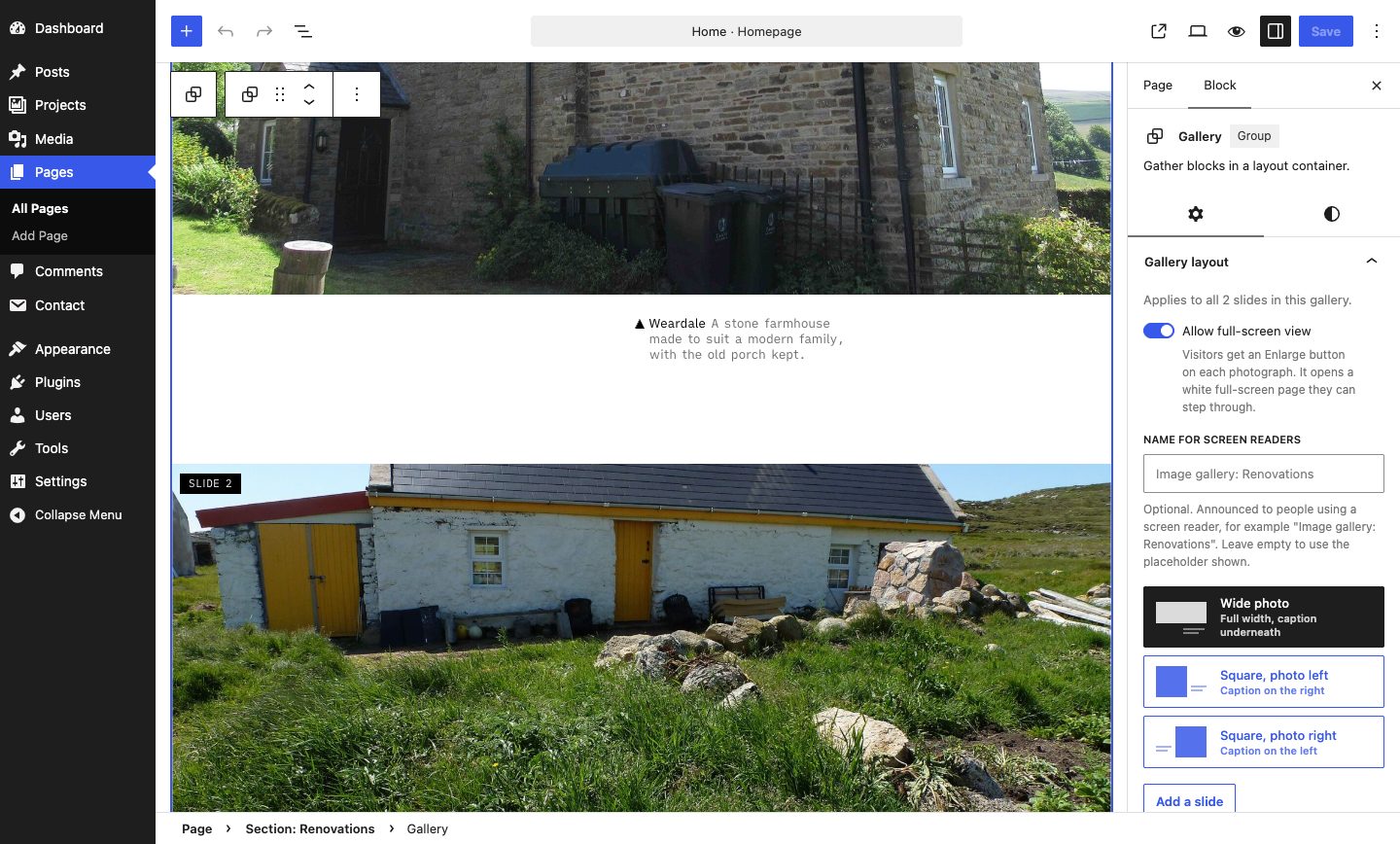
Two blocks show your work anywhere on the site. Project Grid lists projects by type, by name or at random, as an editorial list or a grid. Featured Project shows one project large. There are style variations (five colour schemes and three type styles) and block styles for the everyday blocks, so a section can be a soft panel or a dark one with a click.
Start with a full site, then make it yours
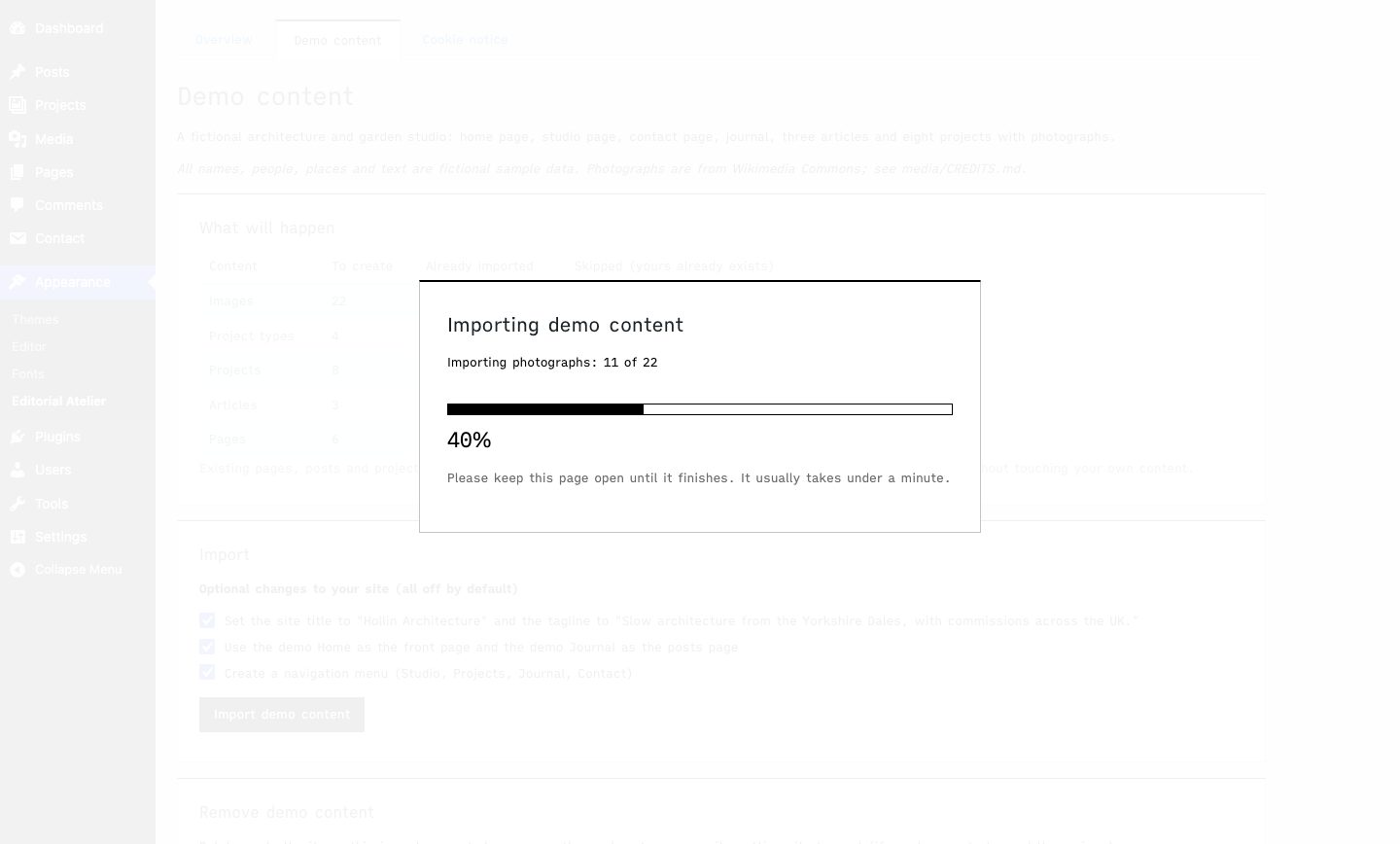
Staring at an empty theme is no fun, so the plugin comes with a complete, fictional demo site: pages, articles, eight projects and the photographs. One button imports it. A progress screen shows what is happening and how far along it is, and a second button removes it again without touching anything of yours.
The parts you do not see
We wanted the quiet design to sit on a solid foundation, so we spent time on the unglamorous things.
- Search and sharing. Every page gets a proper description, sharing tags for when someone pastes a link, and structured data (schema.org) that tells search engines what your pages, articles and projects are. You can describe your business, with an address, so it is not guesswork.
- Speed. The font is bundled and preloaded. New photographs are saved as WebP. The photographs at the top of a page tell the browser their real width, so a phone does not download a laptop-sized picture. In our lab tests on a local site, the home page scored 87 on a simulated phone and 98 on desktop, and the SEO score was 100.
- Accessibility. Galleries work with the keyboard and announce themselves to screen readers, links are big enough to tap, and our automated checks found no problems on the pages we tested. (We have not yet tested with a real screen reader, and we would welcome help.)
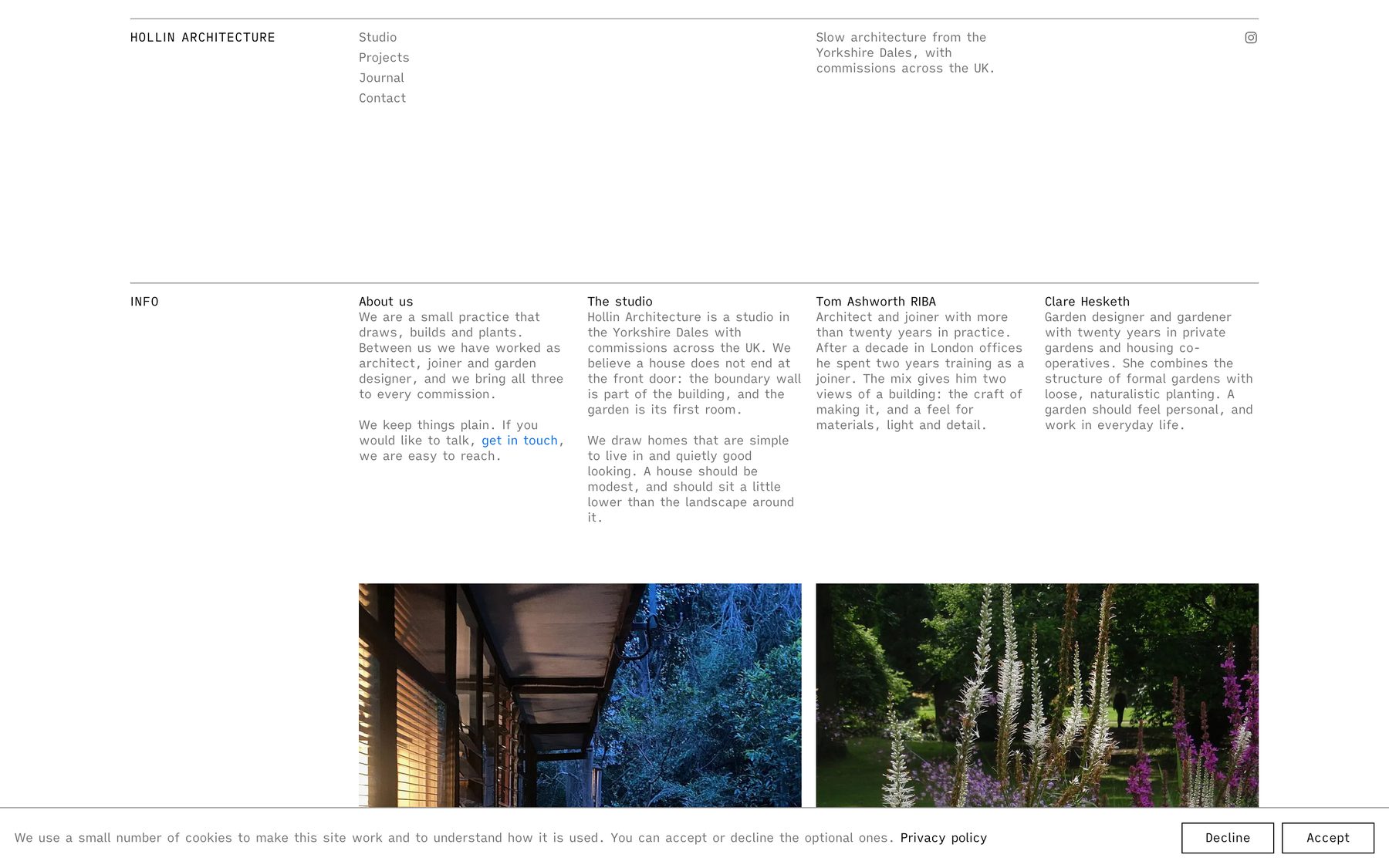
- Privacy. A cookie notice where Accept and Decline look the same, four positions and three designs. Analytics and embedded videos wait until a visitor accepts.
Getting started
- Install the theme and the plugin (Appearance → Themes → Add New → Upload, then the same for Plugins).
- Activate both, then open Appearance → Editorial Atelier.
- Choose Demo content and import it, or skip that and add your own pages from the Patterns tab.
- Replace the photographs, edit the footer and header, and press publish.
There is a full written guide with screenshots, from installing to the audit notes, in the download.
What it is not (yet)
This is version 0.1.0, the first release, and we would rather be honest about it:
- The type is small on purpose. It is part of the look, and you can use your browser’s zoom if you need it larger.
- We have tested in Chrome and not yet on a wide range of browsers and devices.
- It is built for people who like the editorial style. If you need an online shop or a booking system, this is not the theme for that.
If something breaks or feels wrong, please tell us. The first people to use it will shape what comes next.
Download
All three are free. Pick what you need: the theme and the companion plugin work together, and the guide explains everything step by step.
Editorial Atelier is free software, released under the GPL v2 or later.
Photographs. The demo photographs come from Wikimedia Commons and are shown in the screenshots above. Thanks to Trevor Littlewood, Les Hull, louise price, Shixart1985, Andre Carrotflower, Acabashi, Bob Harvey, Colin Park, SharonPapierdreams, ColonelLight, Jernej Furman, the Virginia State Parks staff, the US Forest Service and the Bureau of Land Management. They are used under Creative Commons licences (CC BY 2.0, CC BY-SA 2.0 and 4.0, CC0) or are in the public domain; the screenshots that show them keep those licences. Full list with links is in the download. All names, places and text in the demo are invented.

Leave a Reply